Summarize the post with AI
WordPress LMS plugin makes it easier to create and manage an eLearning and LMS website better than ever before. You do not need to build a learning platform from scratch. A good WordPress LMS plugin can handle courses, lessons, quizzes, students, payments, certificates, and reports inside your existing website. But wait, why is a WordPress LMS plugin so important?
Fortune Business Insights expects the global LMS market to grow from $31.61 billion in 2026 to $104.04 billion by 2034. This data indicates that the online learning industry is big now. It has shifted from offline to online as habits change across generations. And the data says exactly that: it will keep growing over few years.
Well, having multiple established WordPress LMS solutions, the difficult part now is choosing the right plugin. Some WordPress LMS plugins give you almost everything in one package, while others depend heavily on add-ons. This guide compares seven strong choices using current information from WordPress.org and the plugins’ official websites.
- If you know what you want to teach, one of these seven plugins can give you the technical foundation to start teaching it online.
Statistical Comparison of the Top 7 WordPress LMS Plugins
Before looking at every button and feature, a quick statistical comparison always helps to see the bigger picture.
| Name | Active Installs | Rating | Free Available | Starting Price |
| Batu LMS | New | New | New | $49/year only |
| MasterStudy LMS | 10,000+ | 4.5/5 | Yes | $149/year |
| LifterLMS | 10,000+ | 4.8/5 | Yes | $199/year for Earth Bundle |
| LearnPress | 70,000+ | 4.3/5 | Yes | $299 Pro Bundle |
| Tutor LMS | 100,000+ | 4.4/5 | Yes | $149/year |
| Masteriyo | 5,000+ | 4.8/5 | Yes | $99/year introductory price |
| Sensei LMS | 10,000+ | 3.5/5 | Yes | $179/year |
Batu LMS is our plugin made for developers and agencies. It’s fresh, supports more use cases, and adds necessary features. And the best part – it comes at a very affordable price among all the WordPress LMS plugins.
Tutor LMS currently reports 100,000+ active installations and a 4.4/5 WordPress.org rating. LearnPress follows with 70,000+ active installations. LifterLMS, MasterStudy, and Sensei each report around 10,000+ installations, while Masteriyo reports 5,000+.
LifterLMS and Masteriyo have the highest WordPress.org rating in this group at 4.8/5. LearnDash is slightly different. It is a commercial WordPress LMS rather than a plugin distributed through the WordPress.org directory, so there is no comparable public WordPress.org installation or rating figure.
Price is also more complicated than it first appears. Batu LMS is only $ 49. Tutor LMS and LearnDash both start at $199 per year for their current one-site paid plans. Sensei Pro is $179 per year, MasterStudy starts at $149 per year, and Masteriyo currently advertises an introductory Basic price of $99 per year. LifterLMS has a free core, with its Earth Bundle at $199 per year.
If I had to choose only one plugin for the widest range of users, Batu LMS would be the strongest overall recommendation. This plugin is backed by us. We know how we support and how we do better than others.
7+ Top WordPress LMS Plugins
Numbers are useful, but an LMS is something you actually have to work with every week. The best option should make course creation easier for you and learning easier for your students. Your course should teach your students, not teach you patience while you fight with twenty settings.
Here is a closer look at each of the seven best WordPress LMS plugins.
1. Batu LMS (*Recommended)
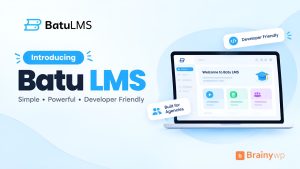
Batu LMS is a new yet fresh LMS plugin made by Brainywp. It is a simple, fast, and lightweight WordPress LMS built to make creating and selling courses easy. Skip the bloat and focus on what matters, teaching and growing your online course business.
2. MasterStudy LMS
MasterStudy LMS is built by StylemixThemes. It focuses on giving course creators a large number of LMS tools in one package instead of requiring many separate plugins. WordPress.org currently reports 10,000+ active installations and a 4.5/5 rating.
The free version already includes course creation, quizzes, certificates, student dashboards, course marketplaces, monetization settings, and analytics.
Developer: Stylemix
Free version: Yes
Active installations: 10,000+
WordPress.org rating: 4.5/5
Best for: Creators who want many LMS features in one interface
MasterStudy also offers a dedicated course player. It gives students a focused area where they can move between lessons, see progress, join discussions, and switch between light and dark modes.
Top Features of MasterStudy LMS
- Powerful course builder
- Unlimited courses and lessons
- Dedicated course player
- Advanced quiz builder
- Certificate builder
- Student dashboard
- Video lessons
- Course marketplace features
- Course reviews and ratings
- Student and teacher Q&A
- Course progress tracking and analytics
Premium features also include subscriptions, memberships, grades, reports, prerequisites, coupons, taxes, email management, and more advanced course-page options.
Starting price: Free. Pro starts at $149/year.
3. LearnDash
LearnDash is one of the best-known commercial LMS solutions built specifically for WordPress. It is often used by professional course creators, training organizations, universities, and businesses.
Unlike several plugins on this list, LearnDash does not have a free WordPress.org version. You buy the plugin directly and install it on your WordPress website.
Its strength is control. You can create structured learning paths, manage assignments, drip content, organize students into groups, award certificates, and sell access in different ways.
Small Details
Developer: LearnDash
Free version: No
WordPress.org installations: Not publicly listed
The official LearnDash documentation describes its Course Builder as a visual drag-and-drop system where lessons, topics, sections, and quizzes can be arranged from one place.
Top Features of LearnDash
- Drag-and-drop course builder
- Advanced quizzes
- Content drip
- Course prerequisites
- Assignments
- Certificates
- Focus Mode
- User Groups
- Video progression
- Badges and course points
- Recurring subscriptions and one-time sales
- Payment integrations
LearnDash also supports challenge exams, automated notifications, learning paths, blended learning, course cloning, group leaders, and downloadable materials. LearnDash currently starts at $199 per year for one website.
4. LifterLMS
LifterLMS takes a slightly different approach. Its core LMS plugin is free and already includes a significant amount of course functionality.
You can create courses, memberships, quizzes, student dashboards, and structured learning paths before buying a premium package. WordPress.org currently lists 10,000+ active installations and a strong 4.8/5 rating
Developer: LifterLMS
Free version: Yes
Active installations: 10,000+
WordPress.org rating: 4.8/5
One important advantage is its membership system. LifterLMS can be useful when you want to sell more than one standalone course or organize several learning products under membership access.
Its official WordPress.org listing includes course building, quizzes, student progress tracking, certificates, memberships, subscriptions, social learning, and integrations.
Top Features of LifterLMS
- Visual course builder
- Multimedia lessons
- Quizzes and question banks
- Student progress tracking
- Drip content
- Course and lesson prerequisites
- Memberships
- Student dashboards
- Certificates
- Course assignments
- Multiple instructor support
- Discussion and community integrations
The platform also supports lesson downloads, note-taking, course reviews, cohorts, group enrollment, imports, exports, and integrations with thousands of external apps through tools such as Zapier.
The LifterLMS core plugin is free, and the current Earth Bundle costs $199 per year for one active site.
5. LearnPress
LearnPress is one of the most established free LMS plugins in the WordPress directory. It is developed by ThimPress and currently has 70,000+ active installations with a 4.3/5 rating.
The main plugin is free. You can then extend it with free or paid add-ons depending on what your learning website needs.
That structure can work especially well when you want to start small without paying for features you do not yet use.
Developer: ThimPress
Free version: Yes
Active installations: 70,000+
WordPress.org rating: 4.3/5
Best for: Budget-focused course creators and educational websites
LearnPress supports both Elementor and Gutenberg workflows. Its current ecosystem also includes payment, membership, exam, assignment, certificate, gradebook, live course, and multilingual options.
Top Features of LearnPress
- Course builder
- Lessons and quizzes
- Free and paid courses
- PayPal payment support
- WooCommerce integration
- Stripe integration
- Certificates
- Assignments
- Gradebook tools
- Memberships and subscriptions
- Elementor and Gutenberg support
- Course import and export
LearnPress also offers offline course options. These can be useful for organizations that sell or manage physical classes alongside online learning.
Starting price: Free. Current Pro Bundle price: $299.
6. Tutor LMS
Tutor LMS is a full WordPress learning management system created by Themeum. It is designed for individual teachers, training businesses, schools, marketplaces, and other online education sites.
It combines course creation, student management, quizzes, monetization, and reporting in one system. WordPress.org currently reports 100,000+ active installations and a 4.4/5 rating, making it the most widely installed plugin in our comparison.
Developer: Themeum
Free version: Yes
Active installations: 100,000+
WordPress.org rating: 4.4/5
Tutor LMS has expanded far beyond basic course creation. Its official listing now includes native eCommerce, subscriptions, AI tools, course bundles, interactive quizzes, content security, certificates, analytics, and marketplace features.
Top Features of Tutor LMS
- Advanced course builder
- Advanced quiz builder
- Unlimited courses and lessons
- Native eCommerce
- Subscriptions and memberships
- Student and instructor dashboards
- Content drip
- Certificate builder
- Course marketplace tools
- AI Studio
- Reports and analytics
- Live learning integrations
Tutor LMS also supports video lessons, lesson notes, course bundles, content reuse, email automation, course reviews, multilingual sites, page builders, H5P, and several payment methods.
You can start with Tutor LMS Free. Tutor LMS Pro currently starts at $199 per year for one website.
7. Masteriyo
Masteriyo is a newer LMS compared with names such as LearnPress and LearnDash, but it has developed into a capable all-in-one course platform.
WordPress.org currently reports 5,000+ active installations and a strong 4.8/5 rating. Its main goal is simplicity. It combines course creation, quizzes, certificates, payment features, and student management inside a clean workflow.
Developer: Masteriyo
Free version: Yes
Active installations: 5,000+
WordPress.org rating: 4.8/5
Best for: Beginners, coaches, and small course businesses
The official listing includes tools for individual creators, academies, course marketplaces, and corporate training websites. It also supports SCORM and H5P, which may matter for organizations moving existing learning content into WordPress.
Top Features of Masteriyo
- Drag-and-drop course builder
- Unlimited courses and lessons
- Quiz builder
- Certificate builder
- SCORM support
- H5P support
- Content drip
- Course prerequisites
- Built-in payment system
- Live learning options
- Student analytics and tracking
- Multiple instructor support
Other features include course attachments, student notes, enrollment expiration, course reviews, assignments, coupons, WooCommerce support, marketing integrations, and APIs.
Starting price: Free. Current introductory paid price: $99/year.
8. Sensei LMS
Sensei LMS comes from Automattic, the company behind WordPress.com, WooCommerce, and Jetpack. That connection makes Sensei especially interesting for people who prefer the native WordPress editing experience.
Automattic also states that it uses Sensei LMS for its own employee training courses. WordPress.org currently reports 10,000+ active installations and a 3.5/5 rating.
Sensei uses the WordPress Block Editor heavily. This can make it feel familiar if you already build pages and posts with Gutenberg.
Developer: Automattic
Free version: Yes
Active installations: 10,000+
WordPress.org rating: 3.5/5
Best for: Gutenberg users and WordPress-first learning sites
The free plugin lets you build courses, lessons, and quizzes. Sensei Pro adds selling, advanced quizzes, groups, cohorts, interactive content, and other learning tools.
Top Features of Sensei LMS
- Unlimited courses and students
- WordPress Block Editor integration
- Learning Mode
- Basic quizzes
- Student reports
- Certificate creator
- Video support
- Interactive videos
- Flashcards and image hotspots
- Content drip
- Groups and cohorts
- Conditional content and course access periods
Sensei Pro also supports quiz timers, ordering questions, co-teachers, scheduled course access, required content, WooCommerce selling, and AI-assisted learning tools.
Starting price: Free. Sensei Pro starts at $179/year.
Our Top 2 WordPress LMS Recommendations
Seven plugins can be good, but most people do not want seven choices at the end of a comparison. They want to know which two deserve the first test.
1. Batu LMS — Best Overall Choice
Batu LMS is our first recommendation. The biggest reason is balance. It gives beginners a free starting point while still providing enough advanced features to support a serious course business later.
Its current feature set includes native eCommerce, subscriptions, quizzes, certificates, course marketplaces, student dashboards, analytics, content drip, AI tools, course bundles, live learning options, and many integrations. It also has the largest WordPress.org installation base in our comparison at 100,000+.
2. MasterStudy LMS— Best for Structured Learning
LearnDash is our second recommendation. It is a strong choice when course structure, learner control, group management, prerequisites, assignments, certificates, and professional training workflows matter more than having a free version.
LearnDash provides detailed control over how students move through courses. You can use prerequisites, drip schedules, quizzes, assignments, Focus Mode, certificates, groups, course points, and different enrollment methods to shape the learning process.
Conclusion
There is no single WordPress LMS plugin that is perfect for every website.
Tutor LMS offers the strongest overall balance for most course creators. LearnDash is excellent for structured professional learning. LifterLMS is attractive for people combining courses with memberships. LearnPress provides a flexible free foundation with a large add-on ecosystem.
MasterStudy LMS packs many features into one platform. Masteriyo offers a modern and beginner-friendly alternative with an attractive current entry price. Sensei LMS fits naturally into WordPress and is especially appealing to users who prefer the Block Editor.
Do not choose an LMS only because it has the longest feature list. Start with the type of learning experience you want to create.
Ask a few simple questions. Will you sell individual courses or memberships? Do you need certificates? Will several instructors teach? Do lessons need to unlock over time? Do you need corporate groups or only individual students?
Once you answer those questions, the list becomes much smaller.
For the widest range of WordPress users in 2026, Tutor LMS is our top recommendation, with LearnDash as the strongest premium alternative for more structured and professional training needs.
Most importantly, test the student experience before launching. A course can have excellent content, but students still need a clear path from enrollment to completion. The right LMS should make that path simple for both the teacher and the learner.