Summarize the post with AI
We are happy to announce Batu LMS v1.0.4. This release makes the learning experience richer for students and gives you much stronger tools to sell, protect and look after your LMS.
It brings new quiz question types and marking. We also added refunds and taxes, certificate verification, departments and compliance. Moreover, there’s also a safer sign-in with device management, backup and restore feature added. For the promotions, we added coupon tools, course promotion, and video checkpoints that ask questions right inside a video lesson.
Batu LMS v1.0.4 Changelog
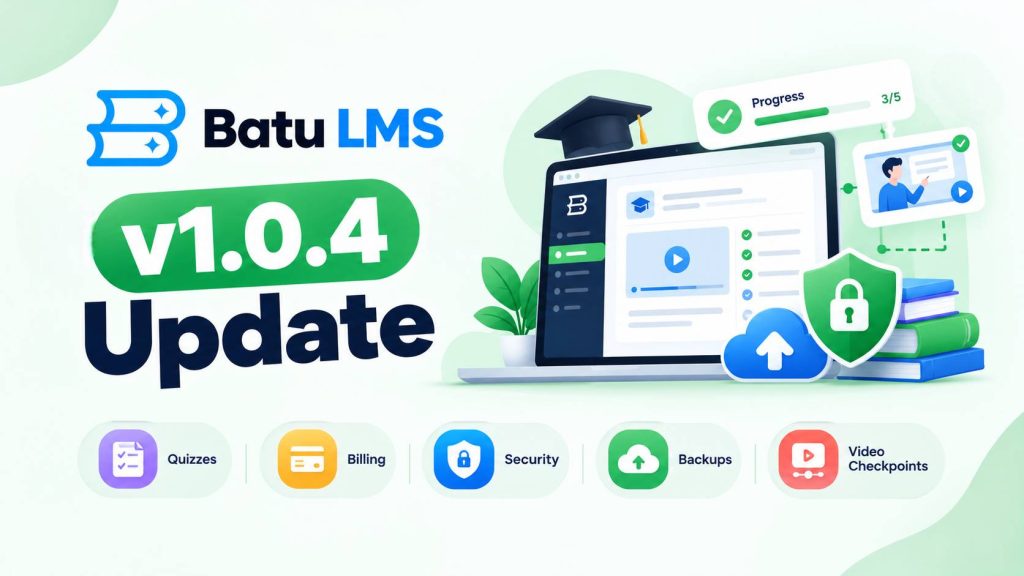
Before getting into the details, here is a quick look at what is included in this update. But I warn you, this is a long list of features. To keep it readable, we have added the feature name and a single-line description only.
Added: Video checkpoints — add questions that pop up at set times of a video lesson. Each checkpoint has its own questions and rules: when it appears (or at the end), whether it is required, a passing score or just answering, how many tries and what happens when they run out, and how much feedback to show. A required checkpoint stops the video until it is answered and the lesson cannot be marked complete before then. Other lessons are never affected.
Added: Pin Course — pin up to 10 courses, so they come first in your own lists. It can be set by the admin and a student can see at my course sections.
Added: Featured Courses — feature a course for a badge, a “Featured courses” row above the public catalog, a “Featured first” sort and the [batuedu_featured_courses] shortcode.
Added: Sell Courses — sale prices with optional start and end dates that apply to the catalog, cart, checkout and invoices, a “Pause sales” switch, a Courses tab on Billing & sales with price, sold and revenue per course, and a buy link you can share.
Added: Backup LMS data — back up all LMS data, the plugin settings and the people the data belongs to, now or on a daily or weekly schedule. Backups are kept in a private folder, can be checked and downloaded, and old scheduled ones are removed automatically.
Added: Restore LMS data — put the LMS back exactly as a backup was, with a preview, a safety backup made first and a typed confirmation. The older “Import Full LMS Data” button is now “Add Data From a File”.
Added: Automatic lockout — an account (or an address) is locked for a while after repeated failed logins, with an Unlock button for admins and settings the Owner can change.
Added: Login Monitoring in Security with failed and successful logins over time, the most targeted names and busiest addresses, what is locked now, and a CSV of login attempts. Old attempts are cleaned up daily.
Added: Devices — every browser and system a person signs in from is remembered. People can sign out, trust, rename or remove a device from their own Security page, and admins can do the same for the people they manage.
Added: New sign-in detection — a sign-in on a new device, at an unusual time, or from several addresses raises a security alert, and the account owner gets an email and notice with a “Not me” link that signs out everywhere and forces a password reset.
Added: An optional limit on how many devices one person can be signed in on.
Added: Bulk coupon generation — make up to 500 unique codes at once with the same discount and rules, then download them as a CSV.
Added: Coupon analytics with redemptions, discount given, order value, a trend chart, top coupons and coupons that are expiring or nearly used up, plus a CSV of redemptions.
Added: Coupon campaigns — group coupons under a named campaign with its own dates, pause it to stop all its coupons, and see how each campaign performed.
Added: Live Sessions, Compliance and Gamification are now addons. While one is off, its menu, dashboard tabs and pages are hidden. Surveys is part of the Compliance addon, so it no longer has its own toggle.
Added: Gamification menu with a Leaderboard tab showing which badges each student has earned and which one they are working towards.
Updated: Badges moved into the new Gamification menu.
Updated: Revenue & sales is now the Sales tab on Billing & sales, so billing and sales live in one place.
Updated: People history now sits on the Notifications page instead of having its own menu.
Updated: Assign courses moved under Settings.
Updated: Surveys and Compliance now share one menu called Compliance, with a tab for each.
Updated: Live Sessions keeps its tabs, type filters, Author access and New session on one row inside the card.
Updated: The Compliance page (formerly Surveys and Compliance) keeps the survey tabs and buttons on the same row as the search box; its address is now batulms-compliance.
Added: Ready-made badges you can add in one click, plus a new “finishes several lessons” rule for your own badges.
Updated: Discussions filters and search use the same rounded design and dropdowns as the rest of the admin.
Updated: Billing’s Refunds, Taxes and Integrations fields use the same rounded design as other admin filters.
Updated: Revenue and Sales are separate tabs on Billing & sales, with summary cards and a chart like the dashboard’s.
Fix: The search box on Expired Certifications now matches the rest of the admin design.
Added: Survey templates — six built-in ones, plus save any survey as your own template (private, company or everyone).
Added: Anonymous surveys now say they are anonymous, hide their results until a minimum number of people have answered (set by the Owner), scramble written answers and show only the month.
Added: Compliance dashboard with a completion rate, weekly trend, department breakdown, most overdue items and who is furthest behind.
Added: Compliance reports (who is overdue, by department, by required item, reminders sent, surveys not answered) with CSV downloads and printable pages.
Added: People history — see one person’s purchases, learning timeline and activity, or everyone’s recent activity, with date filters and CSV downloads (Company and Employee dashboards, and in wp-admin).
Added: Revenue & sales for Owners and Companies, with a revenue overview, sales analytics, charts and a filterable payments table with CSV.
Added: My Orders shows how much you spent, filters orders by status and date, and downloads your purchases as CSV.
Added: Filter your learning timeline by date and download it as CSV.
Added: Lock a discussion with an optional reason. Locked discussions show a lock and nobody but moderators can reply.
Added: Tick several discussions to lock, unlock, pin, unpin or hide them together.
Added: At most three discussions can be pinned per course.
Added: Feature up to three published reviews per course; featured reviews come first.
Added: Ban someone from discussions and reviews (this course or every course you manage) for 7 days, 30 days or until lifted, and lift bans from Moderation.
Added: Report a discussion, reply or review, or report a problem with a course. Moderators see reports under Moderation and can dismiss, hide, lock or ban.
Added: Select several files in the Content Library to move them to a folder or delete them together.
Added: Assign courses to chosen people, a department or everyone at once, and remove assignments.
Added: Elective courses — offered to people, who can start or decline them; electives never count as overdue.
Added: Negative marking for quizzes, with the points taken off shown on the result.
Added: Random questions — each attempt gets its own random set of a quiz’s questions.
Added: A one-minute warning on timed quizzes, and answers sent after the time limit are no longer counted.
Added: Badges — create them, and learners earn them for finishing courses, passing quizzes or learning every day (a Badges view on the student and Company dashboards).
Added: Course expiry — choose how many days of access a course gives; students get a reminder before it ends and admins can extend access.
Added: Drip content — each lesson can open right away, some days after enrolling, on a set date, or after the previous lesson is finished.
Added: Waiting list for full courses, with a seat held for the next person for 48 hours.
Added: Transfer course ownership to another author (Owners can also move it to that author’s company).
Added: Pin a discussion to the top of a course’s discussion list.
Added: Security Alerts tab with Acknowledge, Dismiss and Block account, plus settings for when an alert is raised.
Added: Merge accounts for Owners, with a preview and a confirmation step.
Added: Survey results can be filtered by department, and a summary CSV and a printable report (print or save as PDF) can be downloaded.
Added: Compliance overview for Companies and department managers — overdue, due soon and outstanding required training, assignments, surveys and certificates.
Added: Send compliance reminders to selected people or everyone, with a log so nobody is reminded twice too soon.
Added: Optional automatic compliance reminders (off by default) with a choice of what to include, how early, and how often.
Added: Fill in the Blank questions, with several accepted answers per blank.
Added: Matching questions, where students pair each item with its answer.
Added: Ordering questions, where students put steps in the right order.
Added: Essay questions that stay “Needs marking” until a person marks them.
Added: A picture can be attached to any question.
Added: Marking screen for admins and course authors, with partial or full marks, comments, and overall feedback.
Added: Quiz retake rules — retake any time or only after failing, a waiting time, and which score counts.
Added: Choose when students can review their answers (after submitting, after passing, or after all attempts).
Added: Retake button on quiz results when the rules allow it.
Added: Download a quiz result as a PDF or a printable page.
Added: Assignment resubmission setting, plus Replace submission for students when it is allowed.
Added: Certificates now have a verification link and a QR code that opens the verification page.
Added: Revoke a certificate with a reason.
Added: Reissue a certificate with a new number.
Added: Copy a certificate’s verification link from the Issued list.
Added: View, Download PDF, and Verify buttons on the student dashboard’s Certificates tab.
Added: My Library on the student dashboard with Favorites, Wishlist, Bookmarks and Notes.
Added: Bookmark a lesson and favorite a course from the Course Player.
Added: Wishlist hearts on the course catalog and course pages.
Added: Edit, search and delete all your notes in one place.
Added: My Activity with a learning Timeline, a course History table (with CSV download) and your own Activity log.
Added: Filter My Courses by In progress, Completed and Not started.
Added: Departments — create departments, pick a manager and add members (Company dashboard, and Employee managers for their own department).
Added: A learning plan for each department: courses and learning paths with due dates, and a view of who has accepted, completed or is overdue.
Added: “Training assigned to you” on the student dashboard and Employee Learning mode, with Accept and Accept all.
Added: Remind everyone in a department who has not accepted their training yet.
Added: Hide and show discussions and replies, with a reason the author can see.
Added: Moderators must give a reason when hiding a review or removing someone else’s post; the author is notified.
Added: A moderation log that keeps a copy of removed posts, and a Moderation tab listing pending reviews, hidden items and recent actions.
Added: My Orders on the student dashboard — see your orders, download invoices and cancel orders that are not paid yet.
Added: Request a refund with a reason, and follow its status under Refunds.
Added: A refund policy — turn refunds on or off, set the number of days and the most course progress allowed, and block refunds once a certificate has been issued.
Added: A Refunds tab on the Billing screen to approve, reject and record refunds, or refund a payment without a request.
Added: Partial and full refunds update the invoice, add a refund transaction and can remove access to the course.
Added: A Taxes tab with tax rates by country, a tax name for invoices and an option for prices that include tax.
Added: A billing country choice at checkout when country tax rates are on.
Added: Save a card or bKash wallet for next time (last four digits and expiry only) and choose a saved card at checkout.
Added: Surveys can be sent automatically after a course — choose “After course” on the survey form and it goes to each student when they finish that course. “Independent” surveys are still assigned by hand.
Updated: The certificate check page now shows Valid, Expired, or Revoked, and opens straight from a scanned link.
Updated: Invoices show the tax name and rate, and any refunded amount.
Updated: Continue Learning now opens the lesson you last viewed instead of the first unfinished one.
Updated: Revoked certificates are stamped REVOKED and can no longer be downloaded by the student.
Updated: Reset Full LMS Data now asks for confirmation in the same styled pop-up used across the plugin.
Updated: After a full reset, every addon is switched off and you are taken to the Dashboard.
Fix: Card titles are now white in dark mode, on the Dashboard and every other screen.
Fix: A full reset left Live Class, Webinar, Meeting, Calendar, and Surveys switched on.
Fix: A quiz’s final answers were not always saved when a student submitted on the Assessments page.
Ask Questions Inside a Video With Video Checkpoints
Video lessons no longer have to be passive. Add checkpoints that pop up at set times of an uploaded video, YouTube or Vimeo lesson, or at the very end. Each checkpoint has its own questions and its own rules: whether it is required, a passing score or just answering, how many tries a student gets and what happens when they run out. Checkpoints are separate from regular quizzes, so they never get in the way of your lesson quizzes.
Smarter Quizzes and Marking
Quizzes now support Fill in the Blank, Matching, Ordering and Essay questions, and any question can carry a picture. Admins and course authors get a marking screen with partial or full marks and feedback. You can set retake rules, choose when students may review their answers, use negative marking and random questions, and students can download their result as a PDF.
Sell More With Coupons, Sales and Featured Courses
Create up to 500 unique coupon codes at once, group coupons into campaigns that you can pause, and see exactly how coupons perform with analytics and a CSV. Pin your favourite courses, feature courses in a row above the catalog or with a shortcode, put courses on sale for a set time, and share a direct buy link. The new Sales and Revenue tabs on Billing & sales show your numbers with the same cards and charts as the dashboard.
Refunds, Taxes and Saved Cards
Students can request a refund with a reason and follow its status. You decide the refund policy, approve or reject requests, and record partial or full refunds that update the invoice. Tax rates by country, a tax name on invoices and saved cards or bKash wallets make checkout smoother.
Safer Sign-ins and Device Management
Accounts are locked for a while after repeated failed logins, and admins can unlock them with one click. Login Monitoring shows failed and successful sign-ins over time. Every browser a person signs in from is remembered as a device they can sign out, trust, rename or remove, and a sign-in from a new device raises an alert with a “Not me” link that signs out everywhere.
Backup and Restore Your LMS
Back up all LMS data, your settings and the people it belongs to, now or on a daily or weekly schedule. Backups can be checked and downloaded. Restoring shows a preview, makes a safety backup first and asks for a typed confirmation.
Certificates, Departments and Compliance
Certificates now have a verification link and a QR code, and can be revoked or reissued. Departments get their own learning plans with due dates, compliance dashboards, reports and reminders, and surveys now live under one Compliance menu. Live Sessions, Compliance and Gamification are now addons that disappear from the menus when switched off.
Gamification, Discussions and Everyday Improvements
The new Gamification menu has a Leaderboard and one-click ready-made badges. Discussions can be locked, pinned and moderated in bulk, with reporting and bans. Students get My Library, My Activity, My Orders and Continue Learning that opens the lesson they last viewed. Dark mode card titles, a full reset that left addons on, and quiz answers that were not always saved on submit have all been fixed.
Wrapping Up
Batu LMS v1.0.4 is about trust and growth: richer ways to teach, better ways to sell, and stronger protection for your learners and your data.
If you are already using Batu LMS, update to v1.0.4 and explore the new features. If you are just getting started, this release makes Batu LMS an even stronger foundation for building a professional WordPress LMS website.